
Windows 10 support has ended on October 14, 2025
Applies To
Windows 10 has reached the end of support on October 14, 2025. At this point technical assistance, feature updates and security updates is no longer provided. If you have devices running Windows 10, we recommend upgrading them to Windows 11, a more modern, secure, and highly efficient computing experience. If devices do not meet the technical requirements to run on Windows 11, we recommend that you enroll in the Windows 10 Consumer Extended Security Updates (ESU) program or replace the device with one that supports Windows 11.
What are my options for staying supported on a Windows operating system?
- Installing Windows 11 on your current PC – If your PC meets the minimum system requirements for Windows 11 and is eligible to upgrade directly to Windows 11, you might have already received a notification about upgrading. To check if your PC is eligible for the free upgrade go to Start > Settings > Update & Security > Windows Update and select Check for updates.
- New PC with Windows 11 – If your PC is not eligible, or if you want a new PC with Windows 11 pre-installed, you might want to start by exploring the latest Windows 11 PCs. This tool will help you find the right PC based on your unique needs.
- Extended Security Updates (ESU) program – If you need more time before moving to a Copilot+ PC or other new Windows 11 device, the consumer Extended Security Updates (ESU) program can protect your Windows 10 device up to a year after October 14, 2025.
If you’re an IT pro, see Extended Security Updates (ESU) program for Windows 10.
Below is a workflow that can help you identify the next steps:
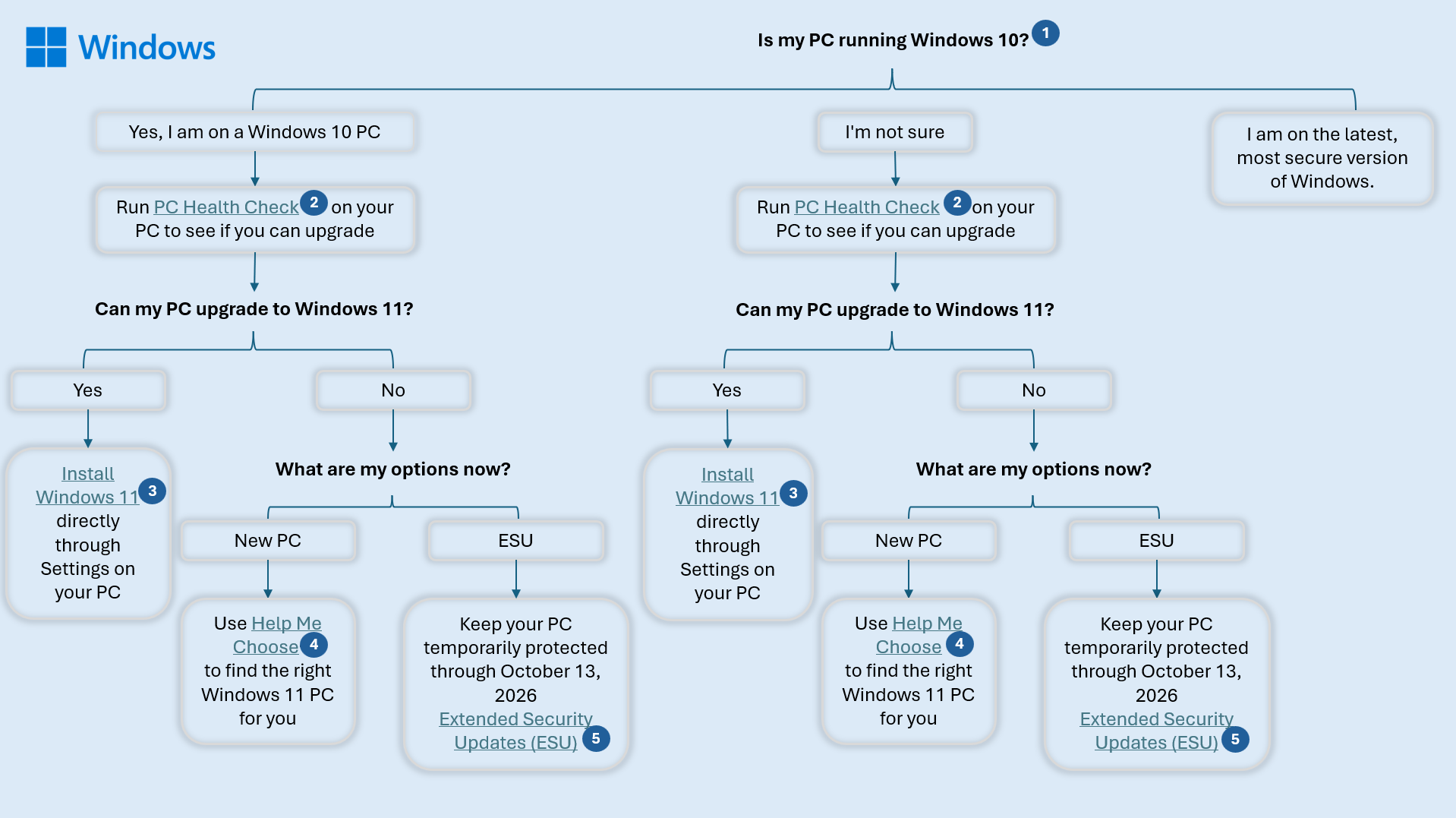
Choose your path according to the image above:
- Is my PC running Windows 10?
- PC Health Check
- Install Windows 11
- Help me choose
- Extended Security Updates